The Mac clipboard holds exactly one thing. Clippy remembers all of it. Press ⇧⌘V in any app, find what you copied, and one ⌘V pastes it right where you were typing.
Download on theOne-time purchase. No subscription. macOS 26 Tahoe.
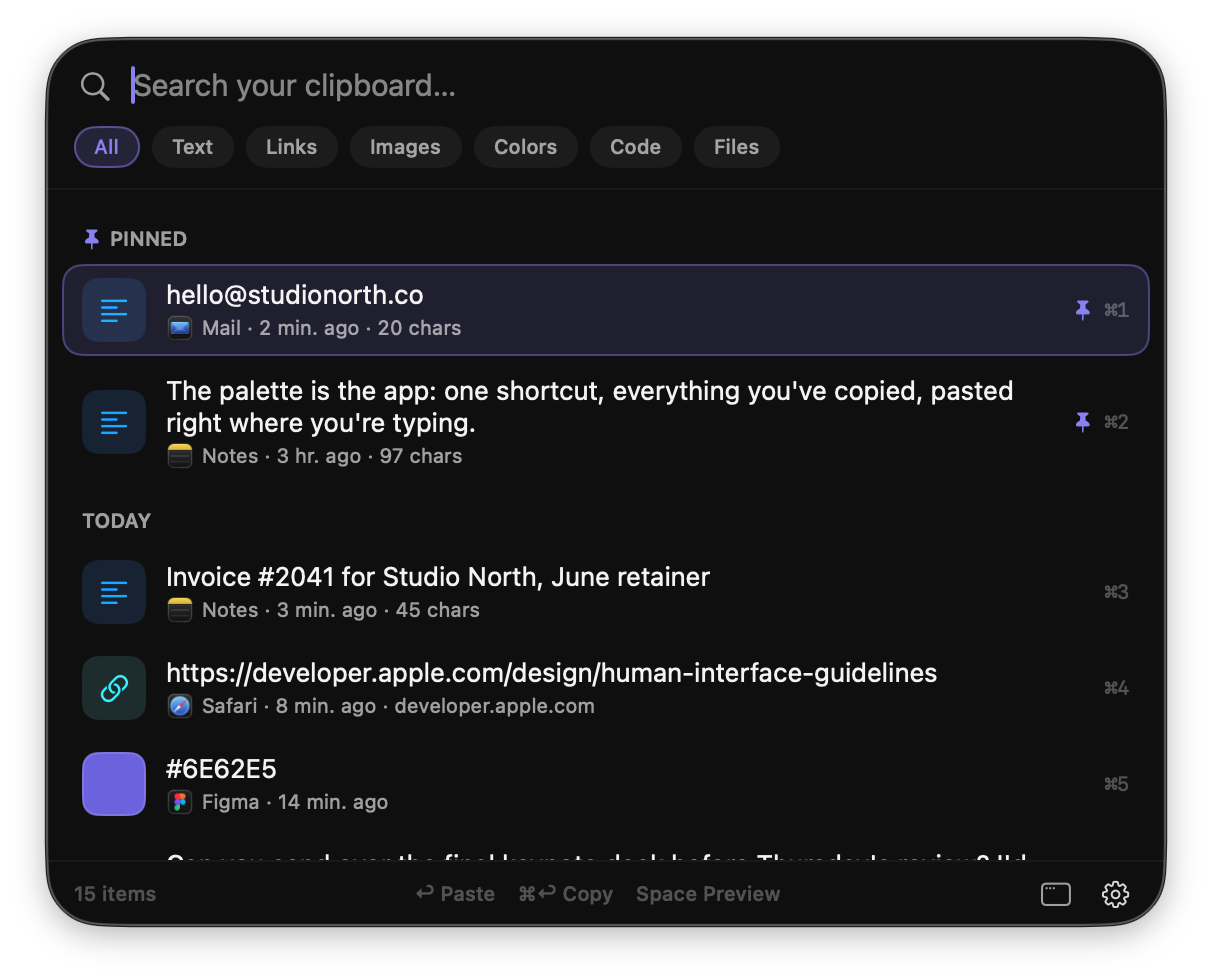
One shortcut opens the palette anywhere. Return copies the item you picked, so a single ⌘V drops it right where you are working. ⌘1 to ⌘9 grab the first nine instantly.
Links get titles and previews. Colors become swatches with HEX, RGB, and HSL. Code keeps syntax highlighting. Files keep real thumbnails.
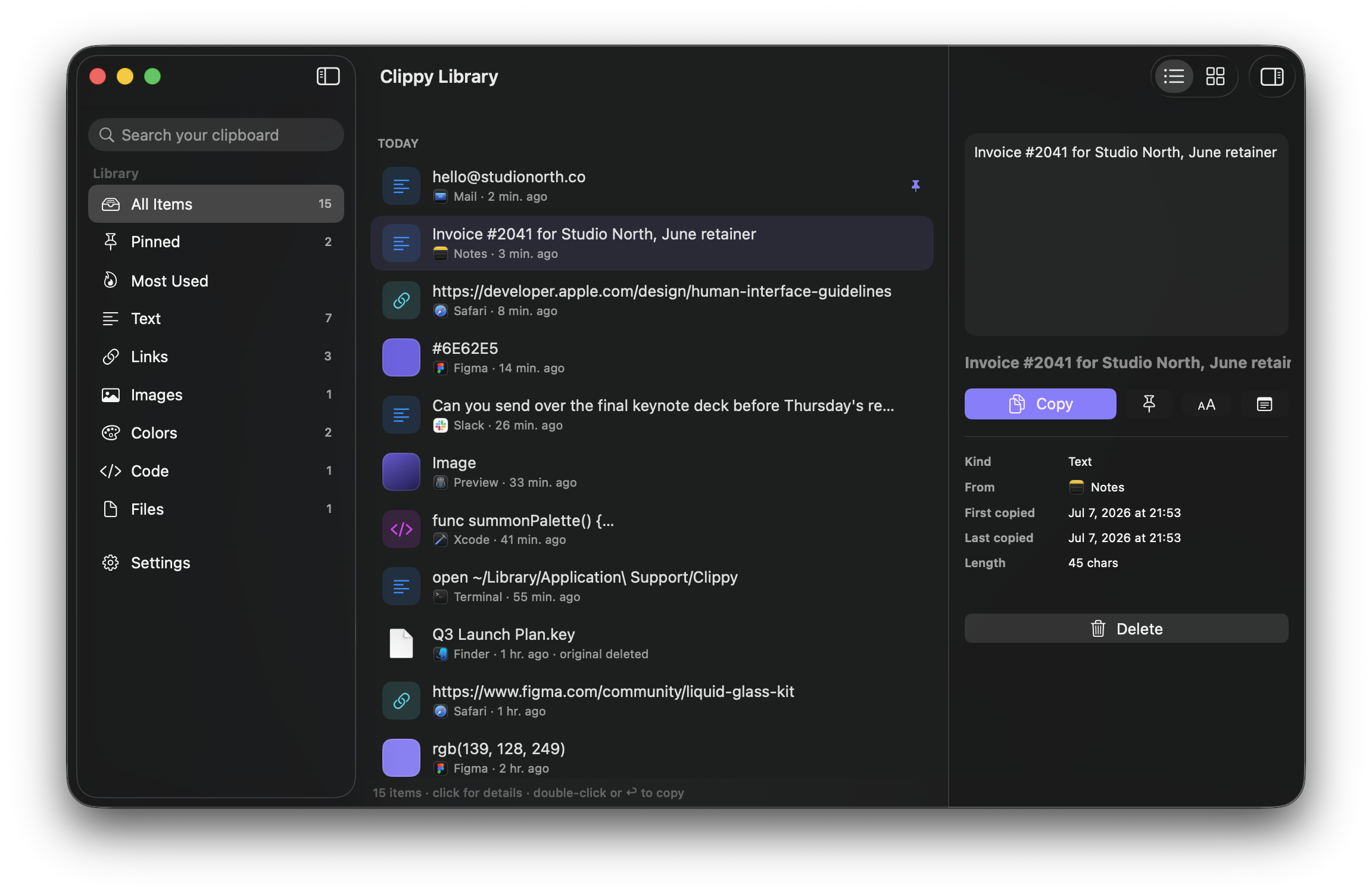
A full window to browse, search, and organize your history with a Finder-style details pane. Rename items, pin favorites, see your most used.
API keys and tokens are detected and masked automatically. Revealing them takes Touch ID. Password managers can be excluded entirely.
Show a password huge, with numbered characters, in a window that floats above everything. Or pin any text as a sticky note while you type it.
Rich text pastes with its formatting, or as plain text when you prefer. Edit anything in the preview before you paste it.
The Library gives your clipboard a real home: sidebar categories for text, links, images, colors, code, and files, with instant search and list or grid views.
Click any item for Finder-style details: where it came from, when you copied it, how often you use it, and every action one click away.
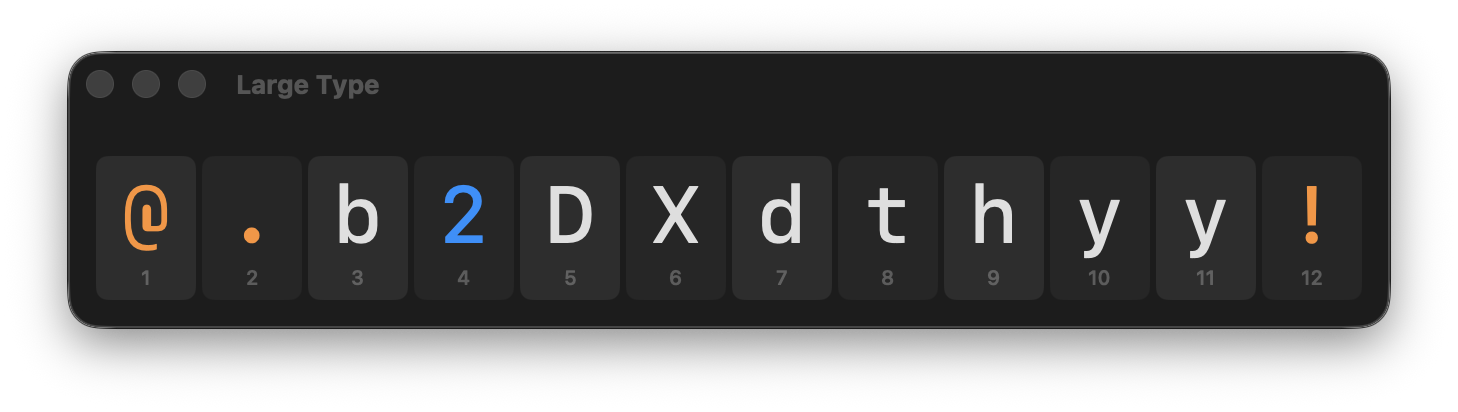
Copied a Wi-Fi password or a one-time code? Show it as Large Type: big, numbered characters in a floating window that stays on top while you type it somewhere else.
Secrets are masked as dots in every list and revealed only with Touch ID, so nobody reads your API keys over your shoulder.
No servers, no accounts, no analytics. Your clipboard history lives on your Mac and nowhere else. The App Store privacy label says Data Not Collected, because there is nothing to collect. Read the privacy policy.